
Time off and absence
Under Time off (in the app: “Fri og fravær”), employees apply for time off and managers process the requests. The page is in the menu for everyone, but the Til behandling (to process) section is only shown to managers.
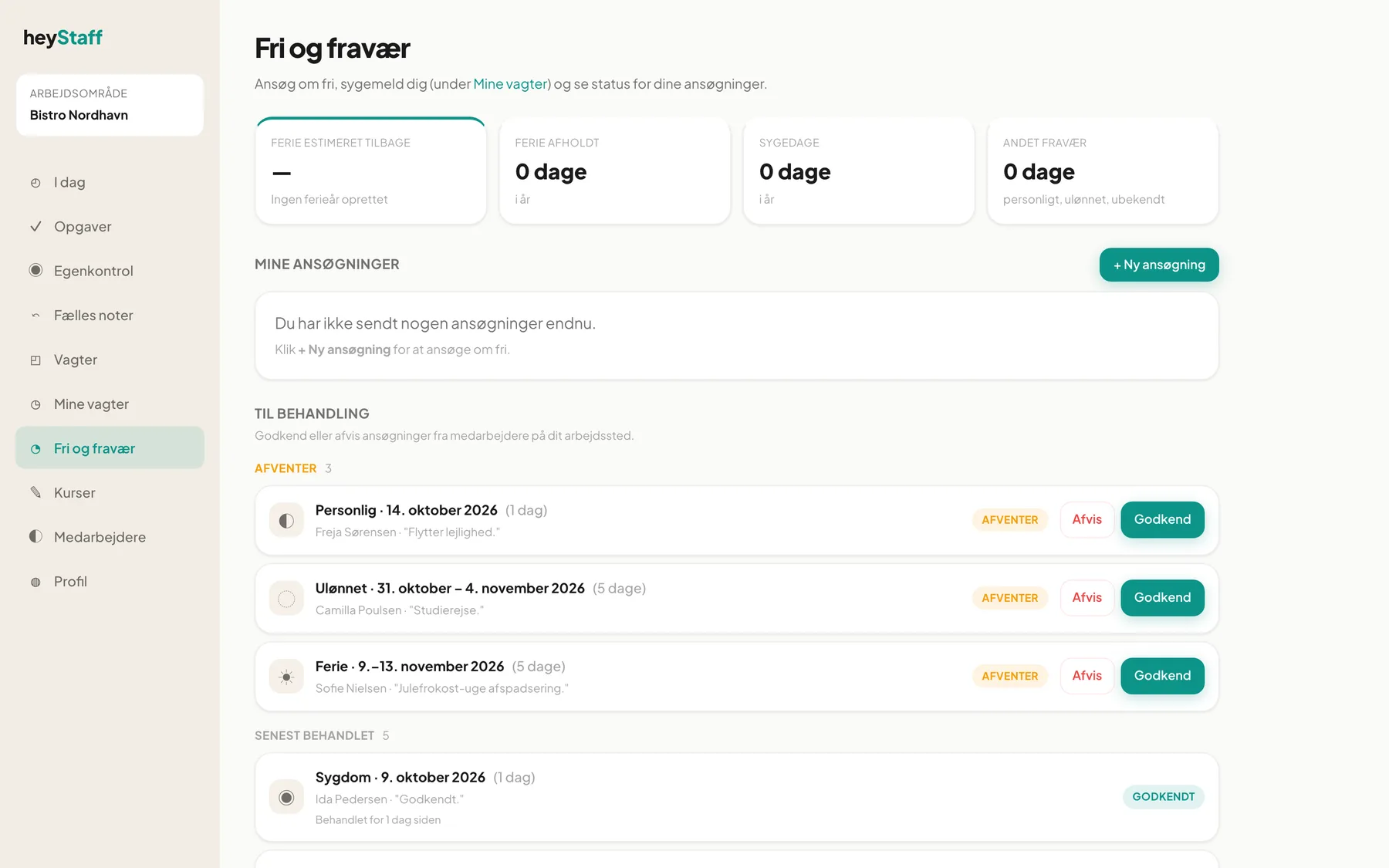
Overview at the top
Section titled “Overview at the top”Four cards show your own absence:
| Card | Shows |
|---|---|
| Vacation estimated remaining | Holiday days left in the holiday year. If it says No vacation year created, the manager has not yet created a holiday year. |
| Vacation taken | Holiday days this year |
| Sick days | Sick days this year |
| Other absence | Personal, unpaid and unknown absence |
Apply for time off (employee)
Section titled “Apply for time off (employee)”- Click + Ny ansøgning (new request).
- Choose a type: Ferie (holiday), Sygdom (sickness), Personlig (personal), Ulønnet (unpaid) or Andet (other).
- Choose Fra (from) and Til (to). Varighed (duration) is calculated automatically. For a single day, pick the same date in both fields.
- Optionally add a Note, for example “Autumn break with the family”.
- Click Send ansøgning.
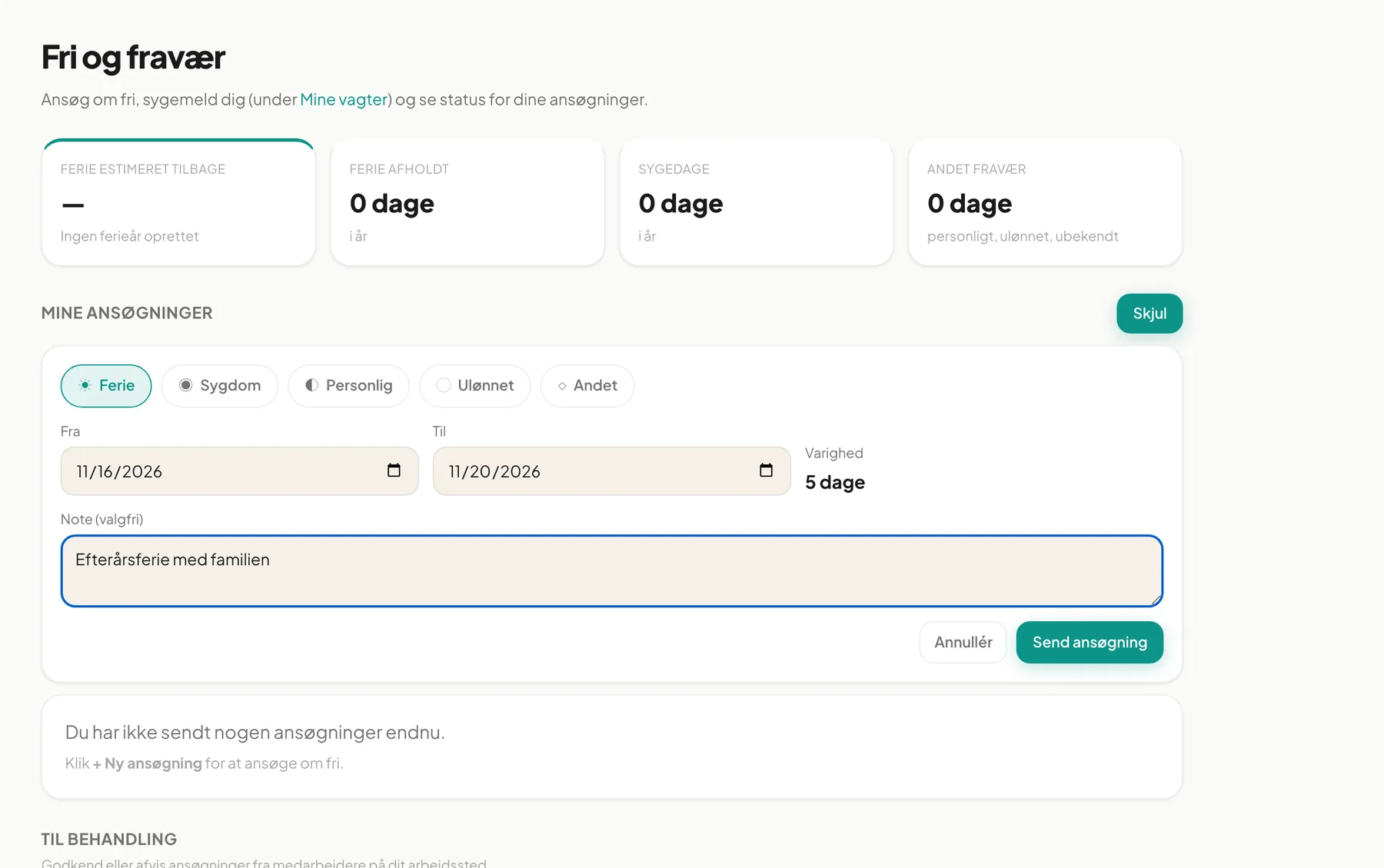
The request appears under Afventer svar (awaiting reply). When the manager has answered, it moves to Godkendt og kommende (approved and upcoming) or Tidligere (earlier), and you get a notification.
Tip: The from date cannot be in the past. Apply in good time so the manager can build the schedule.
Process requests (manager)
Section titled “Process requests (manager)”Under Til behandling you see all pending requests from your location, with name, type, dates, number of days and the employee’s note.
- Review the request under Afventer.
- Click Godkend (approve) or Afvis (decline).
- The decision appears under Senest behandlet (recently processed), and the employee is notified: Fri godkendt or Fri afvist.
On approval an absence record is created automatically for the period. Ferie counts toward the employee’s Vacation taken, and Sygdom toward Sick days.
Important: The system does not check whether the employee already has shifts in the period. Look at the schedule before approving. Approved time off is taken into account when you copy a week, though: shifts for an employee on leave become open.
Sickness
Section titled “Sickness”If you report sick on a specific shift, do it under My shifts with Meld syg. It is recorded automatically as a sick day.
Is there a calendar view? Not on this page. Requests are shown as lists, grouped by status.
Can I withdraw a request? There is no button for that yet. Contact your manager.
What do the statuses mean? Afventer (yellow) is waiting for an answer, Godkendt (green) is accepted, Afvist (red) is declined.