
Roles and permissions
Your role decides which pages you see and what you may change. Your role is shown on the dashboard under Your role.
The three levels
Section titled “The three levels”| Role | Shown as | Description |
|---|---|---|
| Staff | Staff | Carries out tasks and sees their own shifts |
| Manager | Manager | Runs operations, the schedule, self-checks and staff |
| Administrator | Superadmin | Has manager rights and can also administer the platform |
In practice a Superadmin in a workspace is treated as a manager. Administering companies, modules and subscriptions belongs to the heyStaff administrator’s own entry point and not to the daily app.
What can you do as staff?
Section titled “What can you do as staff?”- See Today, Tasks, Handover, My shifts, Time off, Learning and Profile.
- Carry out and check off tasks, and add photos or measurements.
- Read and write shared notes. Notes marked managers only (🔒) are hidden from you.
- Request time off and see the status of your request.
- Take courses and quizzes.
- Edit your own profile.
What can you do as a manager?
Section titled “What can you do as a manager?”Everything staff can do, plus:
| Area | Manager’s extra rights |
|---|---|
| Tasks | Create and edit task templates, see everyone’s tasks |
| HACCP | See and manage control points, approve plans, handle deviations |
| Shift planner | Plan, publish, cancel and mark no-shows |
| Time off | Approve or reject requests |
| Handover | Write notes for managers only |
| Learning | Create and assign courses and see results |
| Employees | Invite staff and manage job roles |
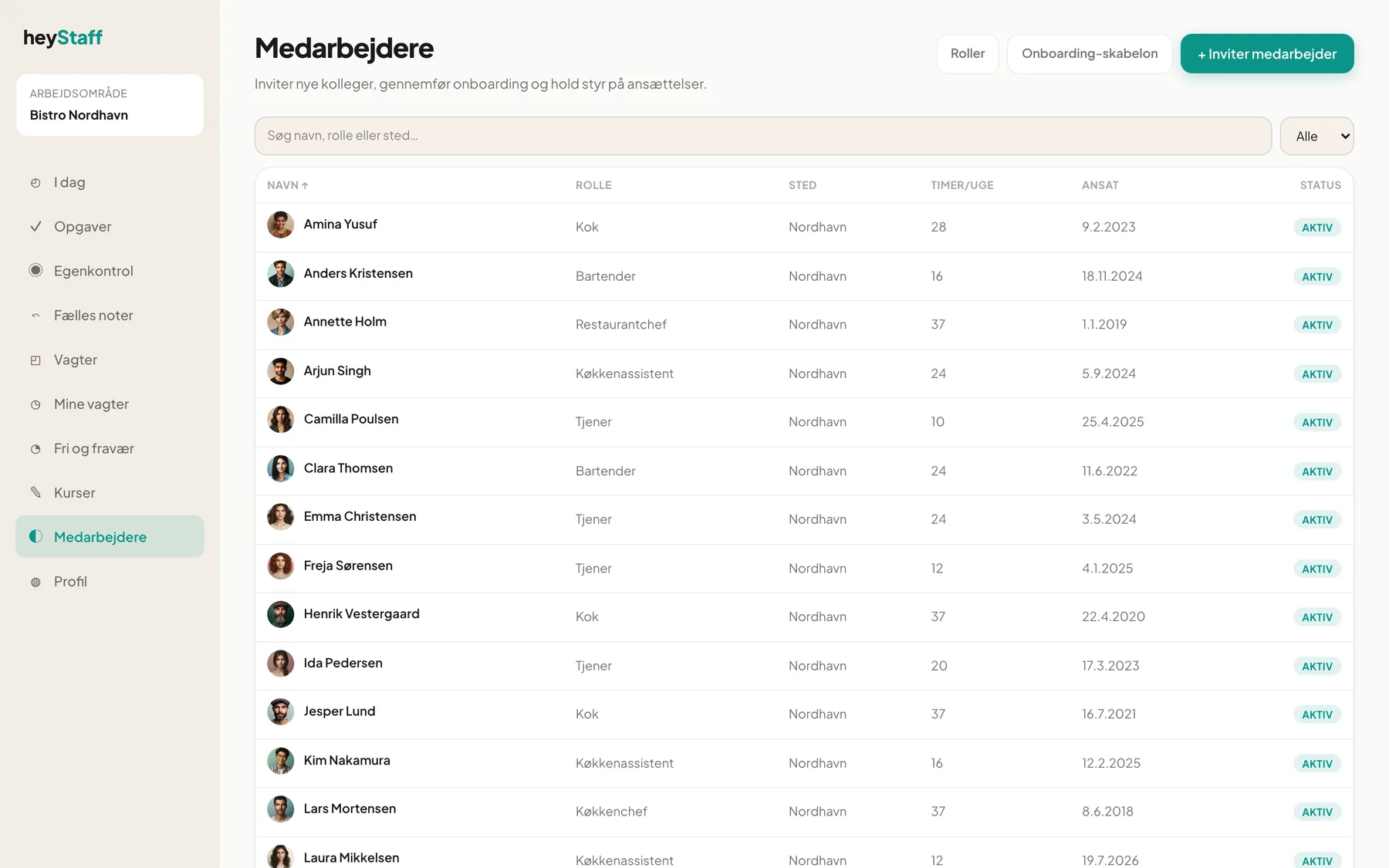 The Employees page is for managers only.
Job roles are not the same as access roles
Section titled “Job roles are not the same as access roles”Under Employees managers can define job roles such as Bartender, Waiter or Head chef and assign them to staff. Each job role has a level (10 = staff, 20 = shift lead, 30 = operations manager). Job roles are used, among other things, to target courses. The access role itself (staff or manager) is set by each user’s membership of the workspace.
What happens if I open a page without permission?
Section titled “What happens if I open a page without permission?”If you open Employees as a staff member, you are sent back to Today. If you call a function you may not use, the server replies “Manager role required”.
Tip: If you are missing a permission you should have, ask your manager to check your role under Employees.
Module access
Section titled “Module access”Besides role, access depends on which modules the company has activated. A module can be active or in a trial. If the trial has ended, the module is locked for everyone, but data is kept. See Navigation, notifications and modules.