
The overview
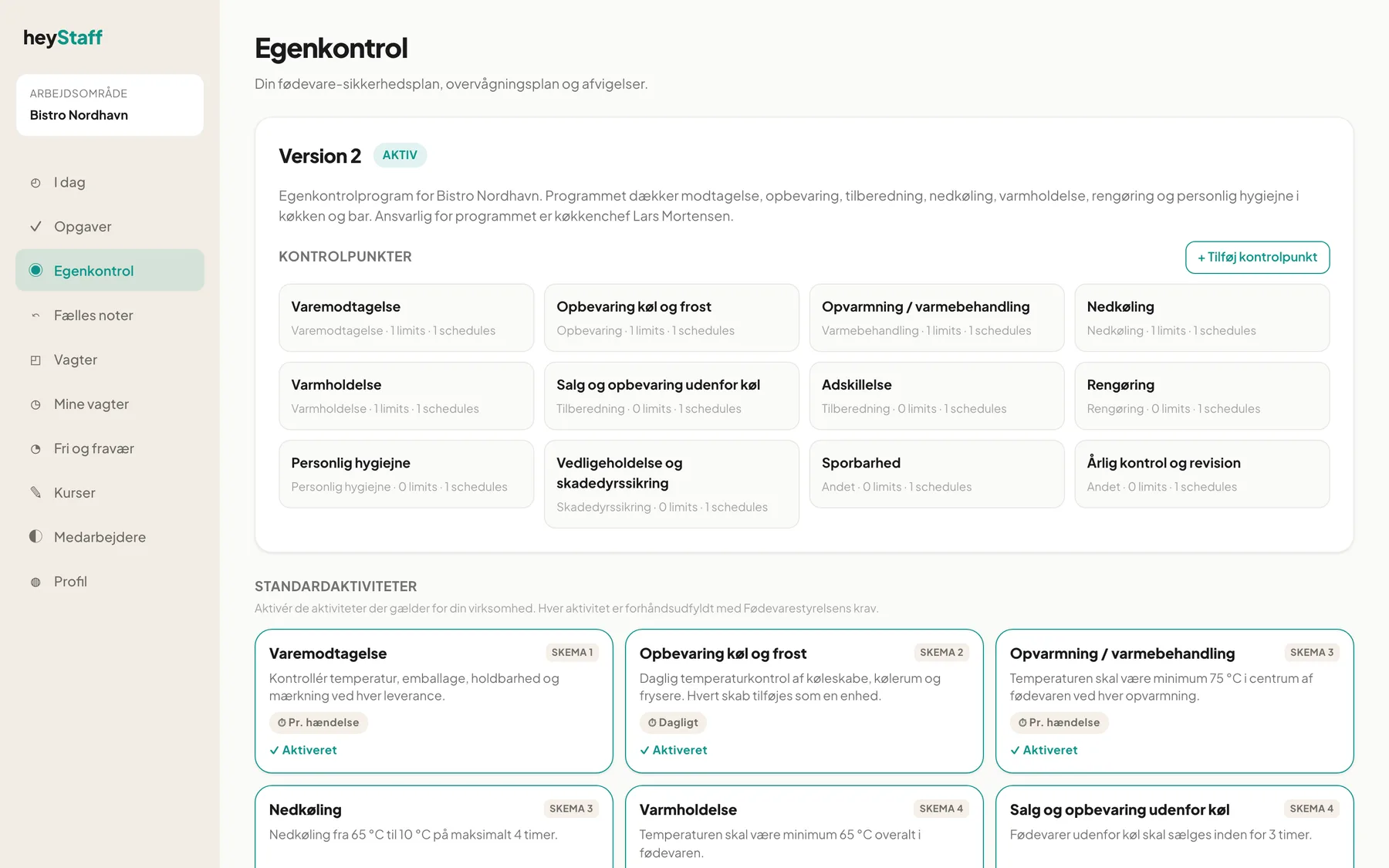
The front page under Self-checks in the menu gives you the overview: which version of the plan applies, which control points you have, and whether any deviations are waiting for you. The page is for managers; employees carry out self-checks from Tasks.
The plan
Section titled “The plan”At the top you see the plan’s version number and a status label:
- Draft (yellow): the plan is being worked on and is not in use yet. The Approve & activate button is shown.
- Active (green): the plan applies.
- Archived: an older version. It cannot be edited.
Under the title is the plan description. At Bistro Nordhavn it states what the programme covers and who is responsible.
If there is no plan at all, the Create draft plan button is shown. Click it, then add control points or activate standard activities.
Control points
Section titled “Control points”Under Control points there is a card for each control point with its name, category and the number of critical limits and monitoring schedules. A red CCP badge marks a critical control point. Click a card to open it. + Add control point creates a new one (see Control points, limits and schedules).
Standard activities
Section titled “Standard activities”Below that are the 14 standard activities. Those already activated have a green border and the text Activated. The others have a + Activate button. See Standard activities.
Open deviations
Section titled “Open deviations”At the bottom up to five open deviations are shown with severity (Warning, Deviation, Critical), measured value and status. View all deviations leads to the deviation log, see Deviations.
The menu
Section titled “The menu”Self-checks sits in the main menu between Tasks and Shared notes. Only managers can change the plan and resolve deviations.
Tip: Start the day with a look at the open deviations. A single forgotten open deviation is the first thing an inspector notices.
Frequently asked questions
Section titled “Frequently asked questions”Why does it say “limits” and “schedules” on the cards? This is a known translation gap in the Danish view. The numbers are the count of critical limits and monitoring schedules.
Why can’t I see the Add control point button? It is only shown to managers, and only when the plan is not archived.
Can we have two plans? Only one plan is active at a time. When a draft is approved, the previously active plan is archived.