
Courses – overview
Courses let you teach staff hygiene, fire safety, house rules and more right inside heyStaff. A course is made of slides with text, images, video and quiz questions. Employees go through the slides at their own pace and get quiz feedback straight away.
Who can do what?
Section titled “Who can do what?”| Role | Can |
|---|---|
| Employee | See published courses, complete them and take them again |
| Manager | Everything above, plus create, edit, publish, assign and archive courses and see results |
You find courses under Learning in the menu (the page itself is titled Courses). Managers also see a Manage courses button at the top right. Read more under Roles and permissions.
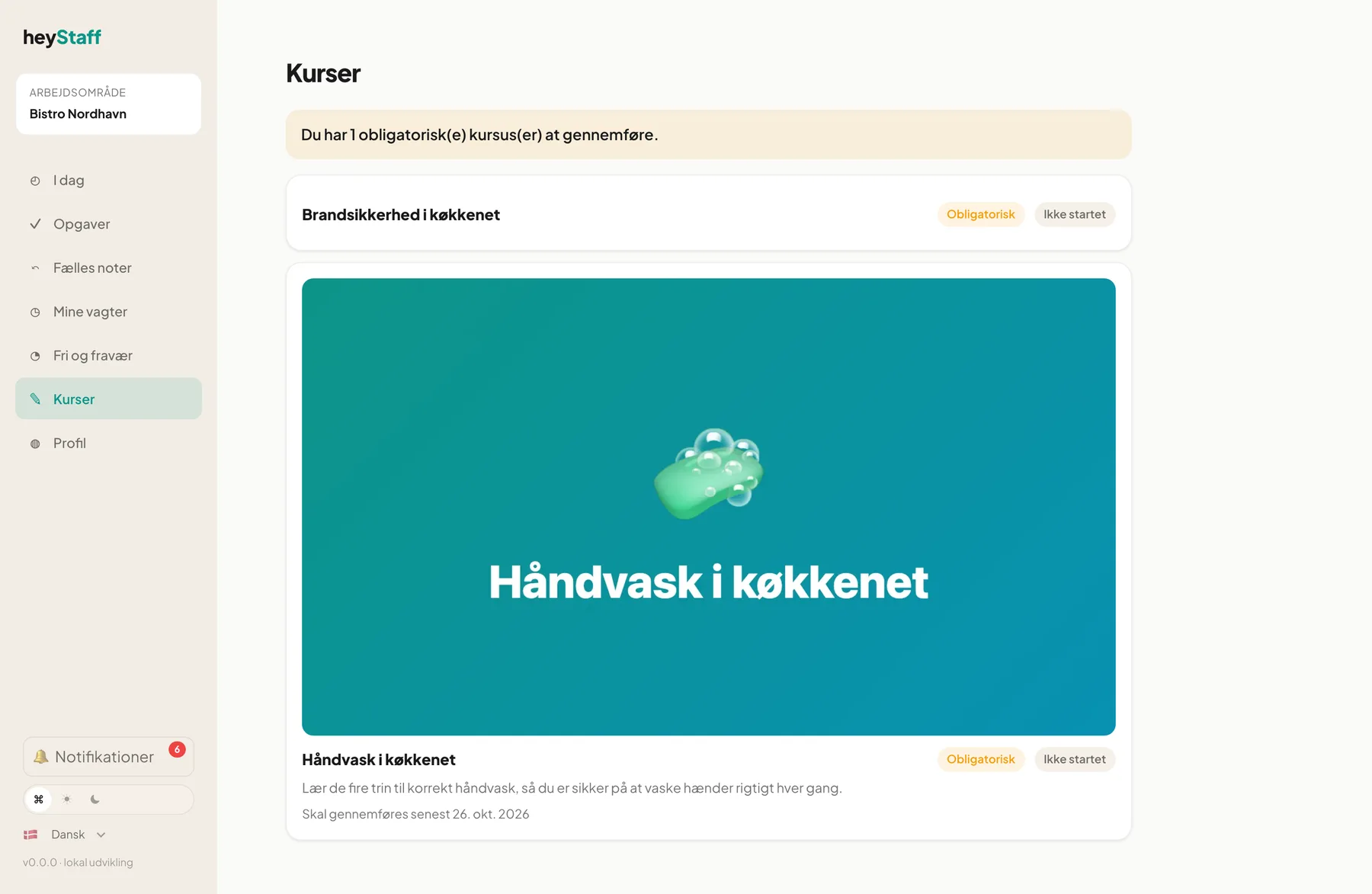 An employee’s course overview (the interface language follows the user’s setting).
Key concepts
Section titled “Key concepts”- Draft and published: A course is a draft until a manager publishes it. Only then can staff see it.
- Version: Editing a published course creates a new version. Old results stay on the version they were taken on.
- Pass mark: The percentage of correct answers an employee must reach. If none is set, finishing the course counts as passing.
- Mandatory: Employees cannot be put on a shift until they have completed the course. A grace period gives current staff time.
- Assignment: Who the course applies to: everyone, new hires, a location, a role or a specific employee.
Getting started
Section titled “Getting started”- Manager: create a course and build slides in the slide editor.
- Manager: add quiz questions and publish.
- Manager: assign the course and optionally make it mandatory.
- Employee: complete the course.
- Manager: follow the results.
Mobile
Section titled “Mobile”Courses work on the phone the same way as on a computer. Slides stack vertically and the buttons are large enough for a thumb. Courses are best created and edited on a computer, where there is room for the slide editor.
Tip: Start with one short course of 4-6 slides. It is easier to get people to finish, and you will quickly learn how the editor works.
Do employees get a certificate? No. There is no certificate, but the result with time and score is stored and can be exported as CSV for documentation.
Can I use courses without making them mandatory? Yes. A course is voluntary unless you mark it mandatory.
Why don’t I see Courses in the menu? The module must be active for your workplace. If the page says the learning module is not active, contact whoever manages your subscription.