
Temperatures and cooling
Temperature control is the core of self-checks. Staff carry it out from Tasks, and the measurements are stored as documentation. This page walks through the four temperature checks in heyStaff.
Storage chill and freeze (daily)
Section titled “Storage chill and freeze (daily)”The task Egenkontrol: Storage chill and freeze is a daily task. Bistro Nordhavn has five units: Fridge 1 – kitchen, Fridge 2 – bar, Cold room, Freezer 1 and Freezer 2.
- Open Tasks and find the task.
- Click Start task.
- Read the thermometer on each unit and type the value under Measured temperature.
- Optionally add a Photo of thermometer reading.
- Click Save, and confirm with Yes, mark as done.
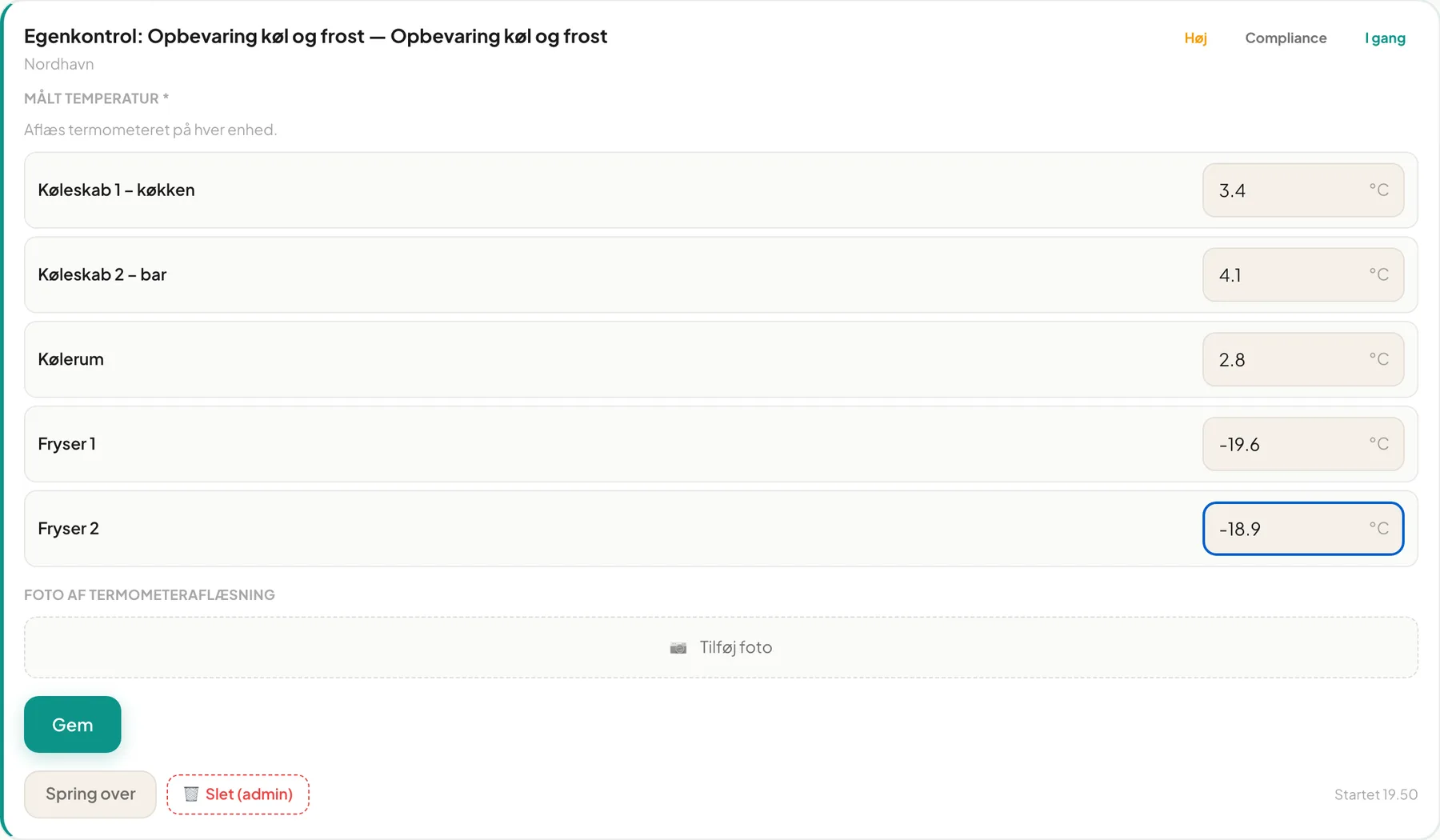
The limits live on the control point: fridges at most 5 °C, freezers at most -18 °C. If a measurement is outside, a deviation is created (see Deviations).
Heating / heat treatment (per event)
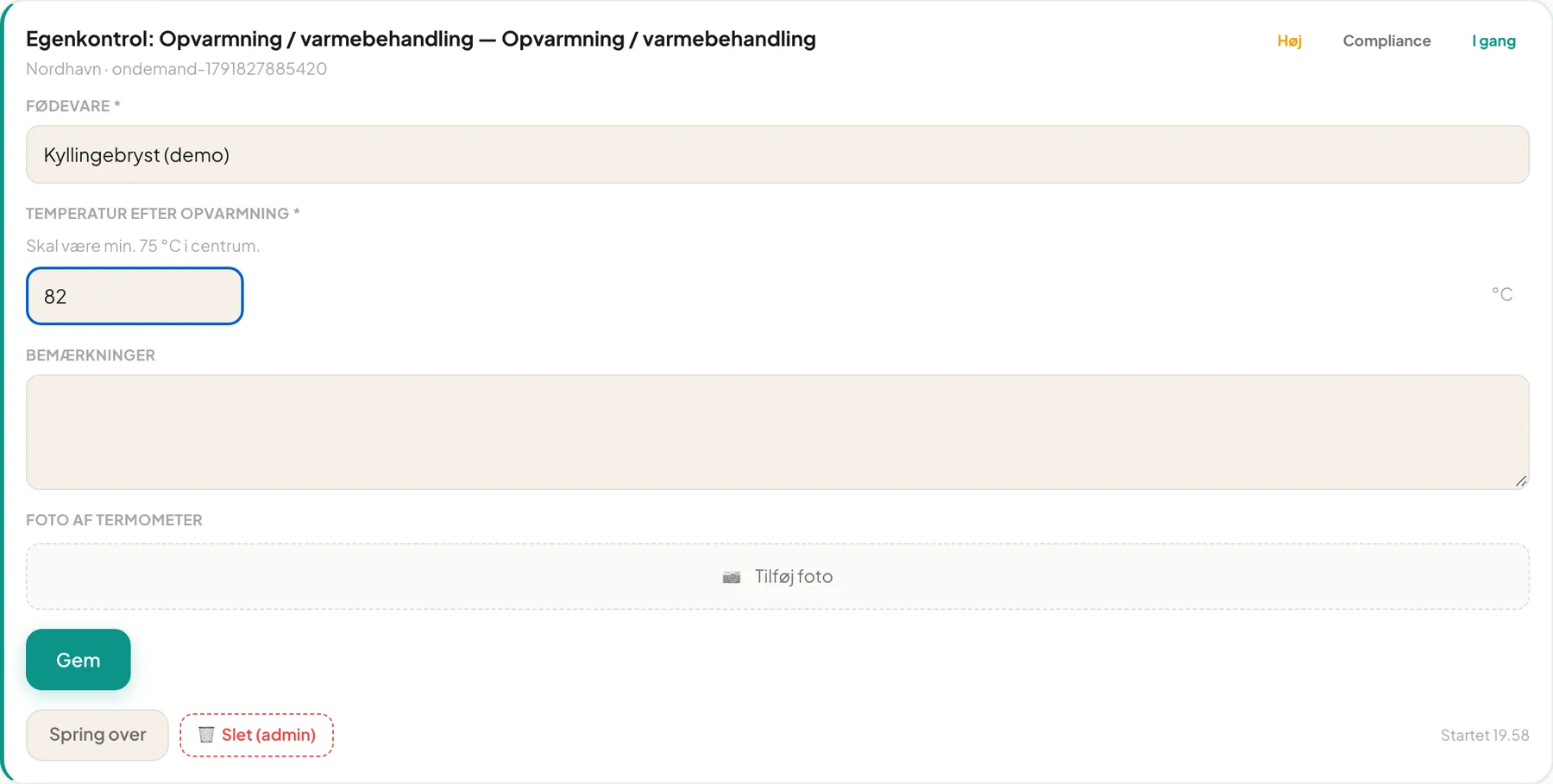
Section titled “Heating / heat treatment (per event)”The food must reach at least 75 °C in the centre. Register every time:
- Click + New measurement under Self-checks — new registration on Tasks.
- Type Food item and Temperature after heating.
- Optionally add notes and a Photo of thermometer.
- Click Save.
Cooling (per event)
Section titled “Cooling (per event)”Cooling from 65 °C to 10 °C may take at most four hours. The form asks for:
- Food item
- Start time and Start temperature
- End time and End temperature
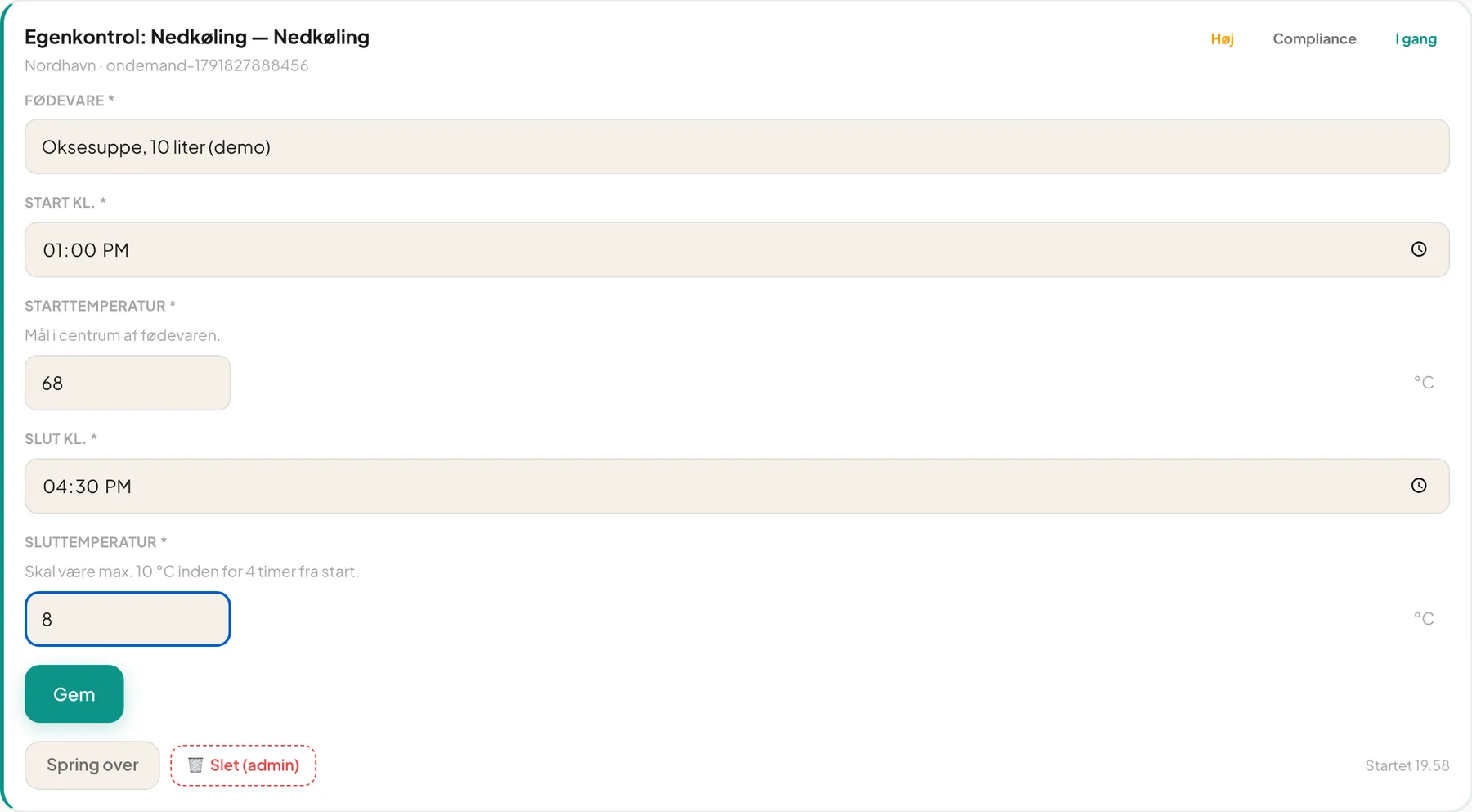
Under the end temperature the limit is shown: “Must be max 10 °C within 4 hours of start”.
Hot holding (per event)
Section titled “Hot holding (per event)”Hot food on a buffet or in a warming cabinet must be at least 65 °C. The form has fields for food item, temperature and time.
Fix a typo
Section titled “Fix a typo”Once a registration is saved you have a short time to correct typing mistakes. You see a countdown (“s left to fix typos”). After two minutes it says Locked — saved more than 2 minutes ago, and the value cannot be changed. This ensures documentation cannot be tidied up afterwards.
Tip: You can type decimals with either a comma or a full stop.
Important: Register a measurement when it is taken, not at the end of the day. The time is saved with the measurement.
Frequently asked questions
Section titled “Frequently asked questions”What if a thermometer is broken? Write it in the notes field, and register a deviation by measuring with another thermometer. You can use the Maintenance and pest control control point to note the defect.
Why can’t I find the task? Tasks only appear if the control point has an active monitoring schedule. Ask your manager.