
Attach images, video and audio
A picture often says more than a long text. You can attach images, video and audio to a note while you write it.
What can I attach?
Section titled “What can I attach?”- Images (for example from the phone camera)
- Video
- Audio, including a message you record directly
- Up to 10 files per note
- Up to 50 MB per file
Other file types, for example Word or Excel, are not supported and are rejected with the message … is not a supported file type.
Attach a file
Section titled “Attach a file”- Write the note on Shift handover.
- Press Attach.
- Choose an image, video or audio file. On a phone you can take the picture right away.
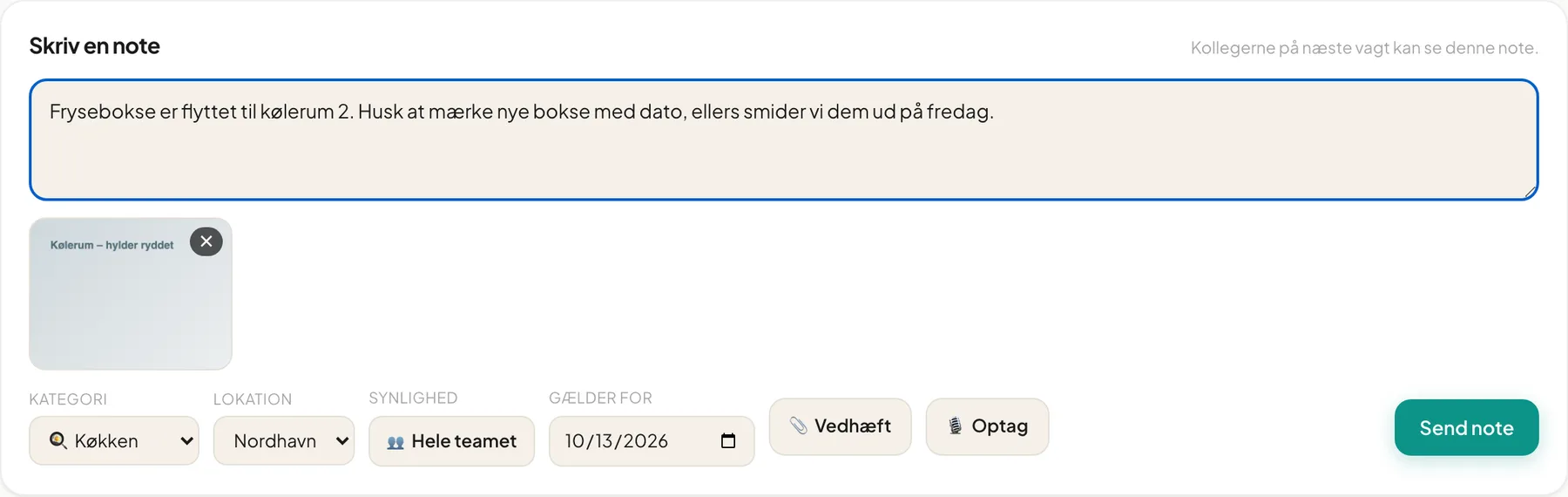
- The file shows as a thumbnail with a cross, so you can remove it again.
- Wait for the upload to finish and press Post note.
Record a message
Section titled “Record a message”- Press Record. The browser asks for permission to use the microphone the first time.
- Speak. The counter shows the time and the button changes to ■.
- Press the button again to stop. The recording is added to the note as audio.
Tip: A short recorded message is faster than typing with greasy fingers.
Optimisation happens automatically
Section titled “Optimisation happens automatically”Images and video are optimised in the background after sending. You don’t need to do anything. While that happens an image may show Processing…. If an error occurs it says Failed. Then you can delete the attachment and attach the file again.
View and remove attachments
Section titled “View and remove attachments”In the note, attachments are shown as a grid under the text.
- Press an image or video to see it in full size. Press Close to close.
- Audio files have a play button in the card.
- The author can remove an attachment and confirm Remove attachment?. The file is deleted permanently from storage.
Questions
Section titled “Questions”“… is over the 50 MB limit”. The file is too large. Trim the video shorter.
“You can attach at most 10 files per note”. Split it into two notes.
The Record button is greyed out. The browser or device doesn’t support recording, or you have reached 10 files.