
Inspections and documentation
When Fødevarestyrelsen visits for an inspection, they typically ask for your self-check programme and for evidence that you follow it. This page points to where you find each item in heyStaff. It is not legal advice, and what the inspector asks for is decided by the inspector.
What can you show?
Section titled “What can you show?”| The inspector wants to see | Find it here |
|---|---|
| That you have a programme | The front page under Self-checks: plan version, status and description |
| What you check | The control points and their critical limits |
| What staff do on a failure | Corrective actions on each control point |
| That you actually measure | The Measurements over time chart and the completed tasks |
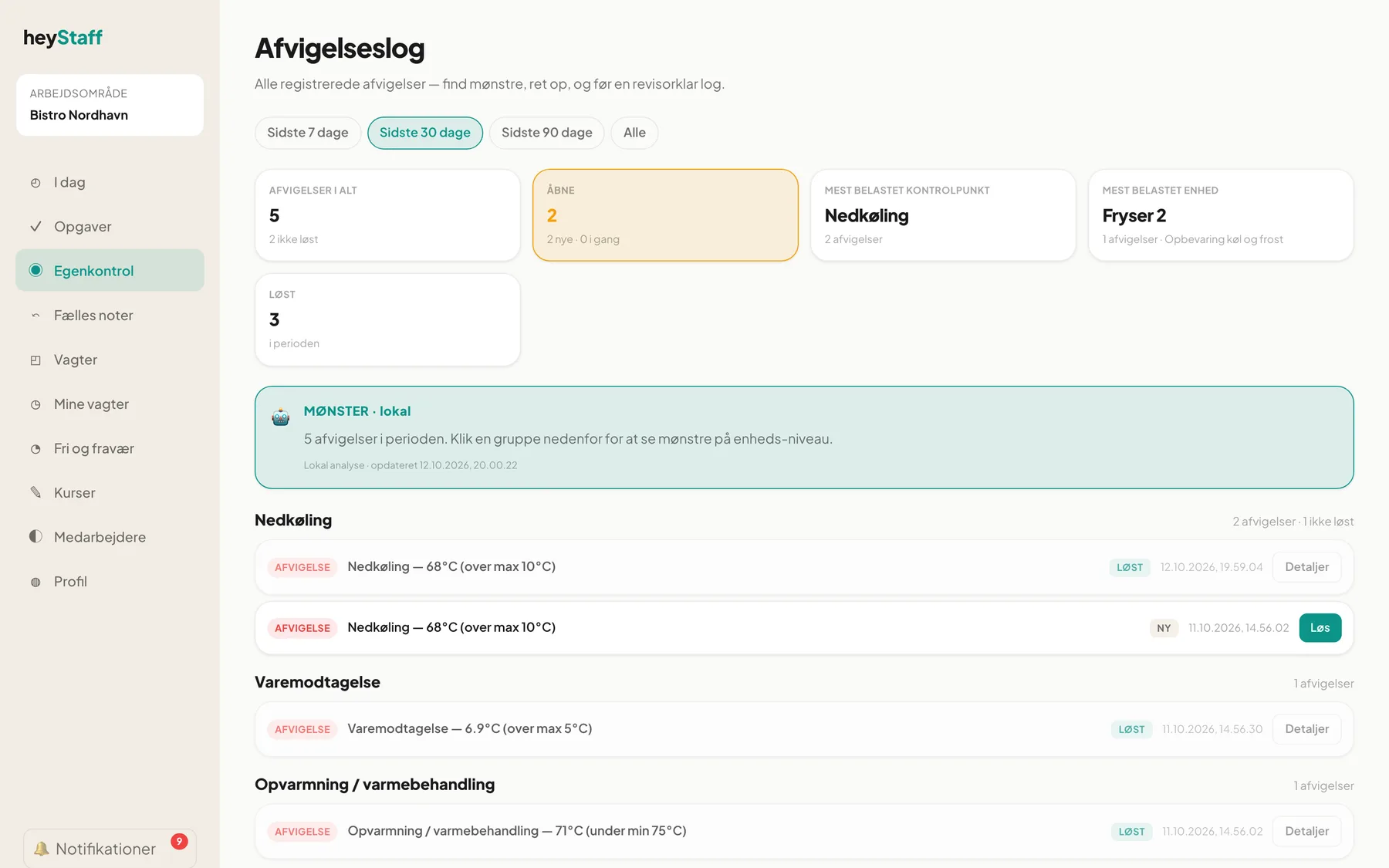
| How you handle deviations | The deviation log with Action and time |
| Where goods come from | Goods receiving and Traceability with waybills |
| That the programme is reviewed | The activity Annual review and audit |
Before the inspection
Section titled “Before the inspection”- Open Self-checks and check that the plan is Active.
- Go through Open deviations. Resolve what has been resolved in real life.
- Open the deviation log with the period All.
- Check the charts for gaps where measurements are missing.
- Check that Annual review and audit has been done this year.
During the inspection
Section titled “During the inspection”Show the screen on a computer or tablet. Employees can show tasks directly on their phones. You can open a control point and switch between 7, 30 and 90 days on the chart.
Export and printing
Section titled “Export and printing”Self-checks does not yet have a built-in PDF or CSV export. The documentation is shown on screen, and you can for example take screenshots of the deviation log and the control points if you need to attach them to an email or a case folder.
Important: Keep any physical documents your programme requires, even if you also register digitally. heyStaff does not replace your own judgement of what you must retain.
Settings
Section titled “Settings”There are no separate self-check settings under Settings. The page “Compliance & working time” is about working-time rules for the shift plan and has nothing to do with self-checks. What is checked, and how often, is set on the control points and their monitoring schedules (see Control points, limits and schedules). Access to the module is controlled by your subscription.
Frequently asked questions
Section titled “Frequently asked questions”How long are the registrations kept? How long you must retain documentation depends on the rules for your business. Ask Fødevarestyrelsen or your heyStaff contact before you clear out old data.
Can an employee correct an old measurement? No. After two minutes a registration is locked.
What if we are missing measurements from one day? Write it as a deviation or a note so it is documented why there is a gap.