
Roles
A role is a job position at a location, e.g. Kok (cook), Tjener (waiter) or Køkkenchef (head chef). Roles are used when you invite employees and when you say who should cover a shift template. Roles are created per location and only managers can edit them.
Open the page via Medarbejdere and the button Roller.
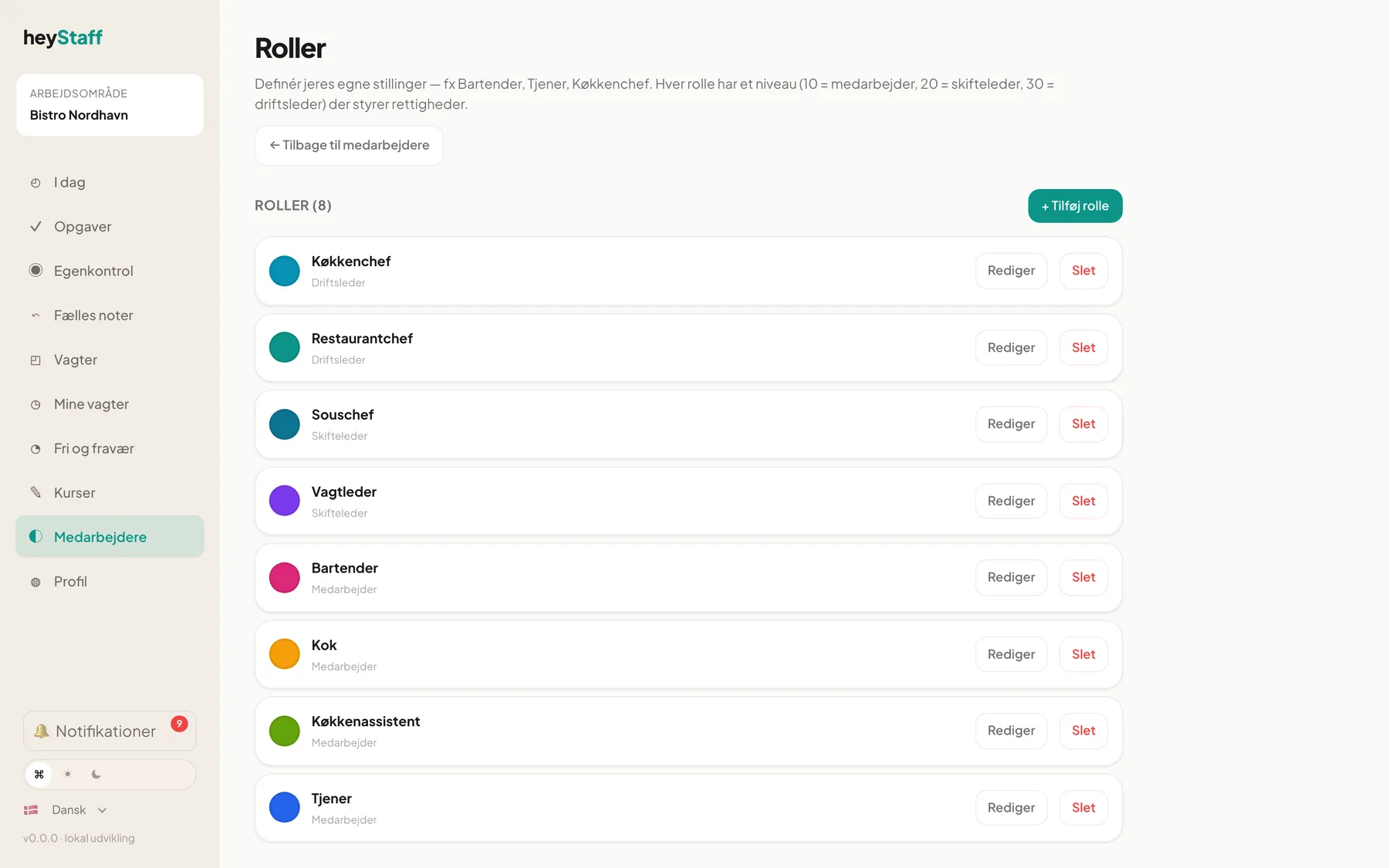
The roles here are job positions in the restaurant. They are not the same as the system’s basic roles (employee, manager, owner). Read about those under Roles (Getting started).
What the role list shows
Section titled “What the role list shows”Roles are sorted by level, highest first. Each row shows a colour, name, level and any description. Deactivated roles are marked (deaktiveret). If you have several locations, choose a location with the buttons above the list.
Levels
Section titled “Levels”Each role has a level, which controls permissions:
| Level | Name in the system | Explanation |
|---|---|---|
| 10 | Medarbejder (Employee) | Default. No special permissions |
| 20 | Skifteleder (Shift lead) | Can publish shifts, approve time off and sick notices |
| 30 | Driftsleder (Operations manager) | Full access to operations, contracts and pay |
| 40 | Org-admin | Across restaurants. Reserved |
New locations automatically get the default roles Medarbejder, Skifteleder and Driftsleder.
Create a role
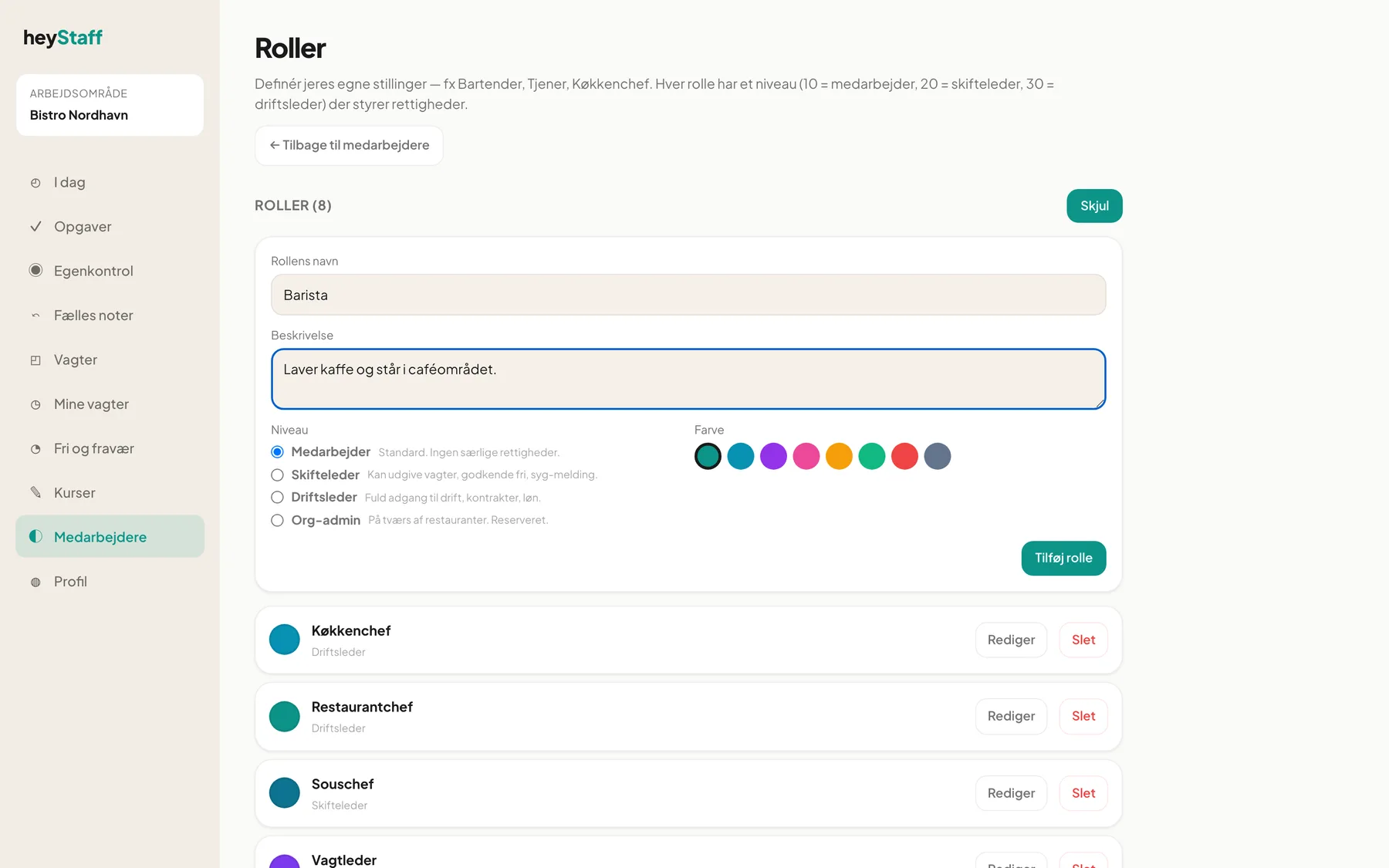
Section titled “Create a role”- Click + Tilføj rolle (Add role).
- Type Rollens navn (Role name), e.g. Barista.
- Optionally write a Beskrivelse (Description).
- Choose Niveau (Level) and a Farve (Colour).
- Click Tilføj rolle.
Edit or delete a role
Section titled “Edit or delete a role”- Click Rediger (Edit) in the role’s row.
- Change Navn, Beskrivelse, Niveau or Farve.
- Untick Aktiv if the role should no longer be selectable in the invitation form and the shift planner.
- Click Gem (Save).
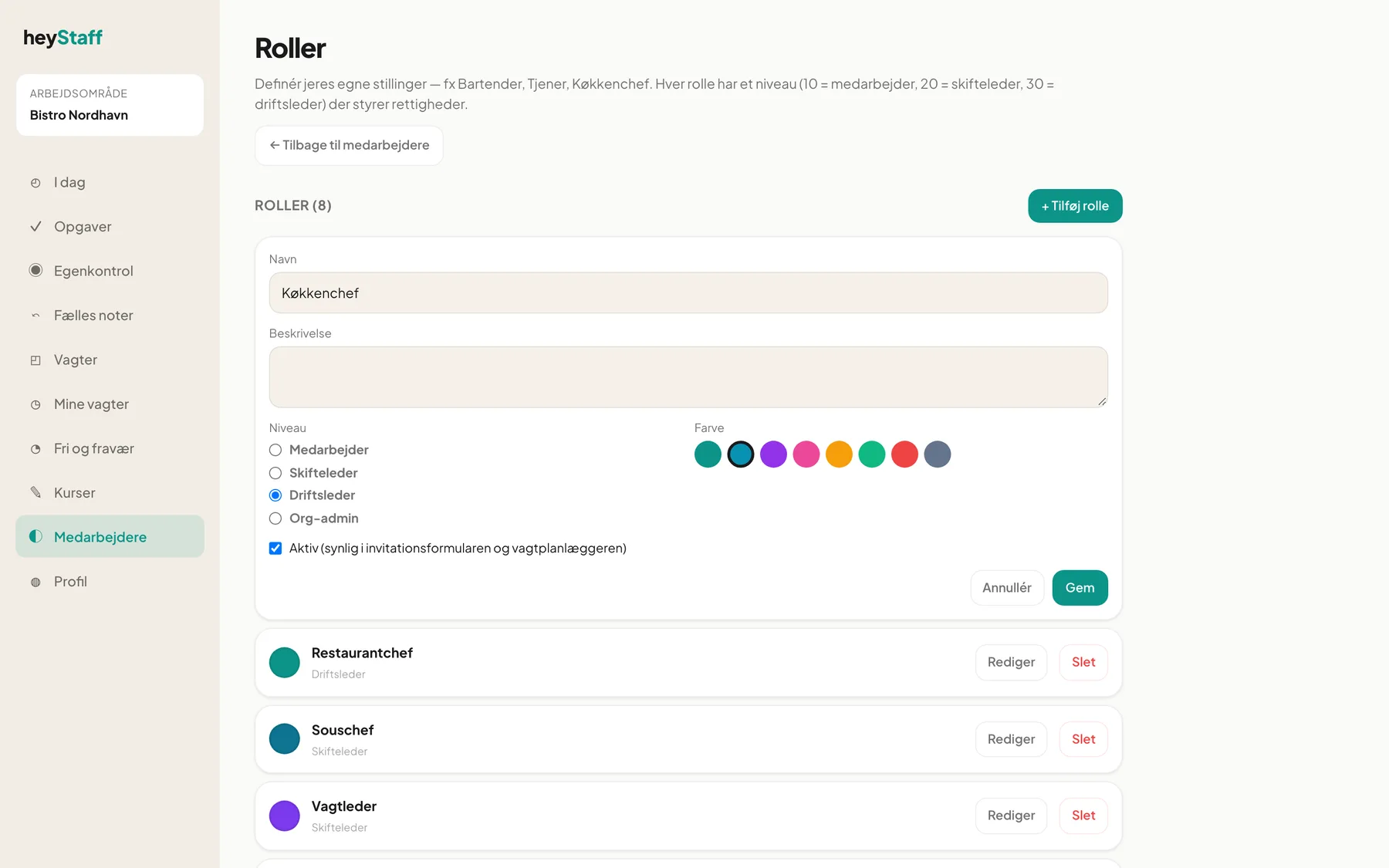
To delete, click Slet and then Bekræft (or Fortryd to cancel).
Tip: Deactivate rather than delete if the role has been in use. History is kept and the role simply disappears from the pick lists.
Where roles are used
Section titled “Where roles are used”- Invitation: the role name becomes the employee’s job title, see Invite an employee.
- Shift templates: a template can require a specific role (Ingen rolle-krav, no role requirement, is the default).
Can I change an employee’s role after the invitation? Edit Stillingstitel on the employee’s page, see An employee’s employment.
Why can’t I invite anyone? If there are no active roles at the location you must create one first.