
Assign and make mandatory
A published course applies to the people you assign it to. If you make it mandatory it becomes a requirement for working shifts. Managers can do this.
Assign a course
Section titled “Assign a course”- Open the course in Manage courses and choose the Assignment tab.
- Choose a group in the first dropdown:
- All employees
- New hires: only those hired from now on
- Location: choose a location afterwards
- Role: choose a job role, for example Cook or Waiter
- Employee: choose a specific person
- Tap Add.
- Repeat for more groups. Each assignment shows as a chip, and you remove it with ✕.
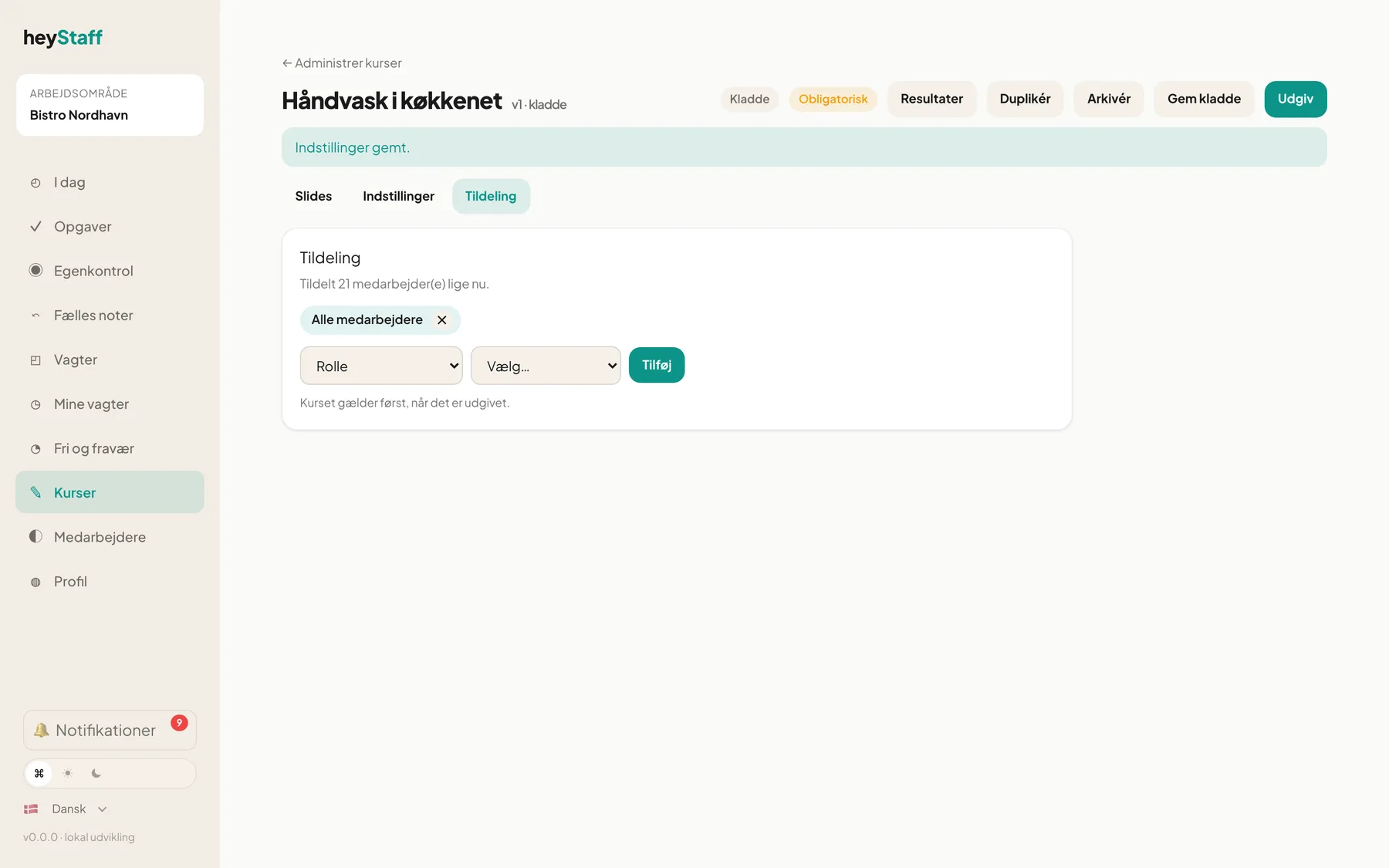
At the top it says Currently assigned to 21 employee(s). The number follows along when new employees join or change role. You do not need to assign again.
Important: The course only applies once it is published. An assignment on a draft has no effect yet.
Make the course mandatory
Section titled “Make the course mandatory”- Choose the Settings tab.
- Tick Mandatory — employees cannot work shifts until completed.
- Enter a Grace period (days). 0 means the requirement applies immediately.
- Tap Save settings.
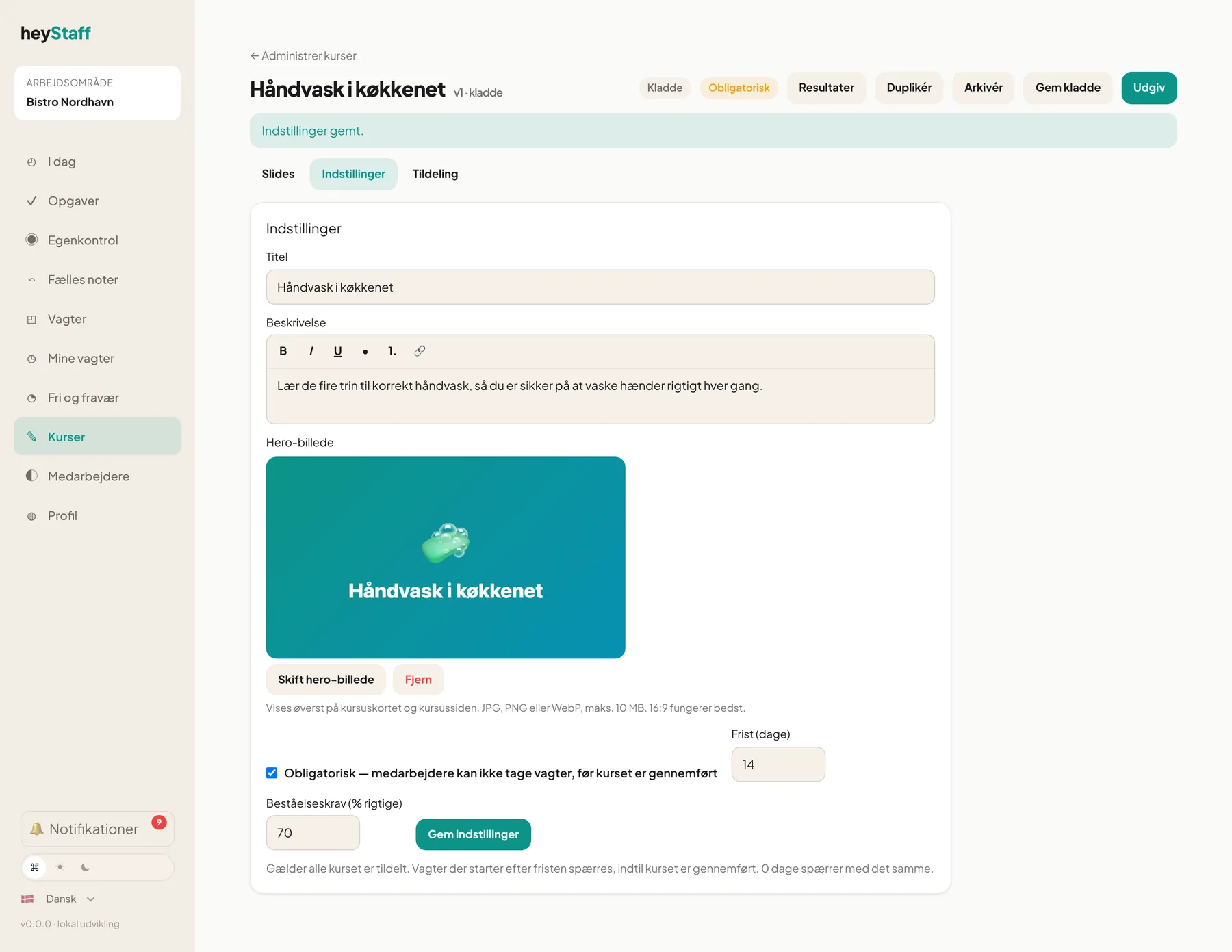
The course gets the Mandatory chip in the lists.
How the deadline is calculated
Section titled “How the deadline is calculated”The deadline is the later of the moment the course was made mandatory and assigned, and the employee’s hire date, plus the Grace period (days). Existing employees therefore get the grace days, while new hires get them from their first day.
Only shifts that start after the deadline are blocked. Shifts already planned before the deadline are not affected.
Where is the requirement enforced?
Section titled “Where is the requirement enforced?”The system checks when someone tries to:
- create or move a shift for an employee, or publish the schedule
- book an open shift or approve a booking
- swap a shift (both directions)
When the planner tries to put a blocked employee on a shift, a red message appears that names the employee and the missing course.
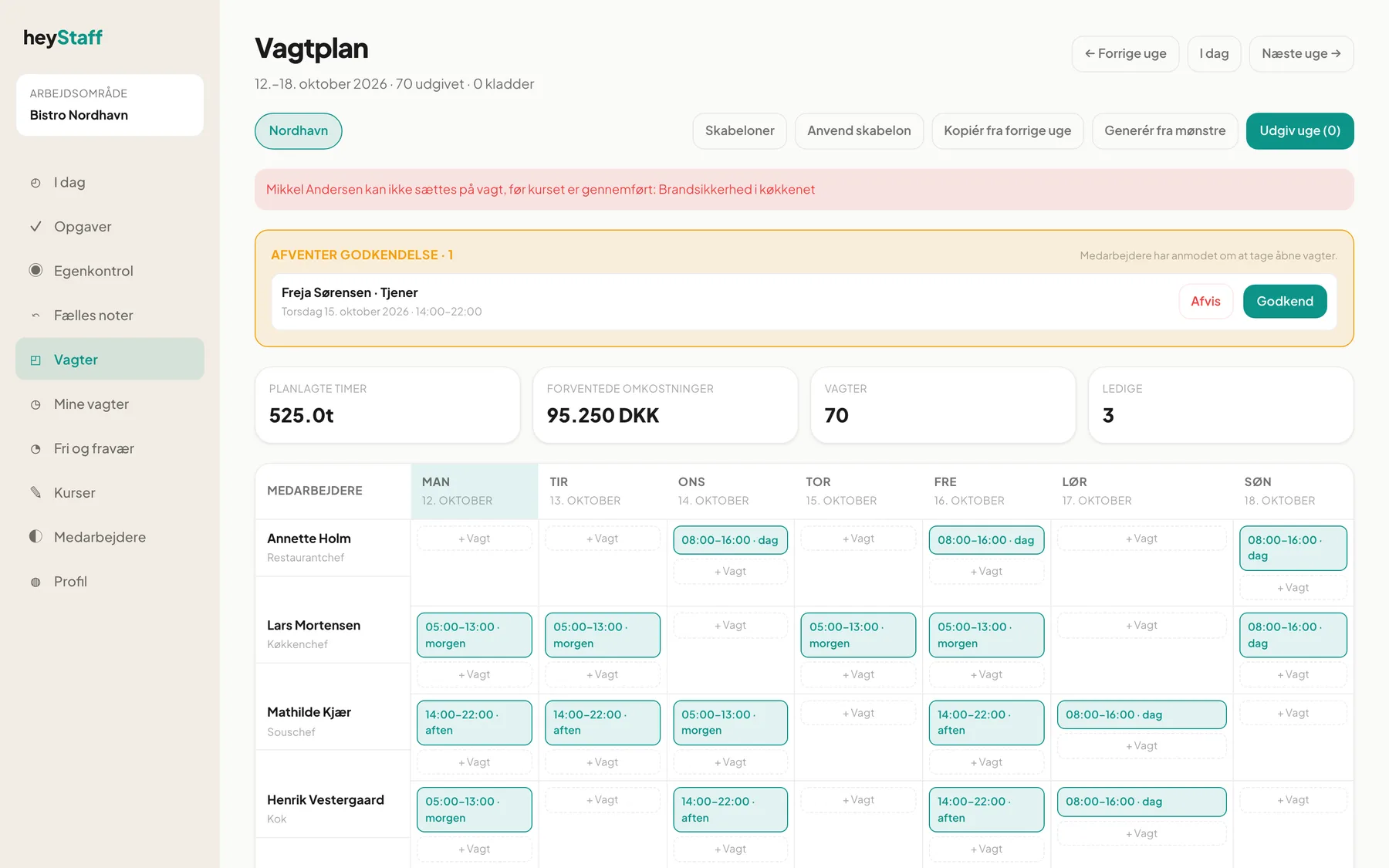
Templates and copying a week leave the shift open instead of assigning it to a blocked employee.
- Use a 14-day grace period for existing staff and 0 for new-hire courses, so nobody works without it.
- Courses that are unpublished, archived or not mandatory never block.
- If the module is switched off for the business, nothing is enforced, so a lapsed licence does not lock the schedule.
Can I make a course mandatory for one role only? Yes. Assign it to Role and switch Mandatory on.
Is someone who is already on a shift taken off? No. Only new or moved shifts after the deadline are rejected.