
Pay supplements and differentials
Many collective agreements give supplements for work at certain times. In heyStaff you enter them on each employee so that payroll forecasts and exports are accurate. Any manager can do this.
Supplements are on the employee’s page under Løntillæg & differentialer (Pay supplements and differentials), right below the employment terms. See An employee’s employment.
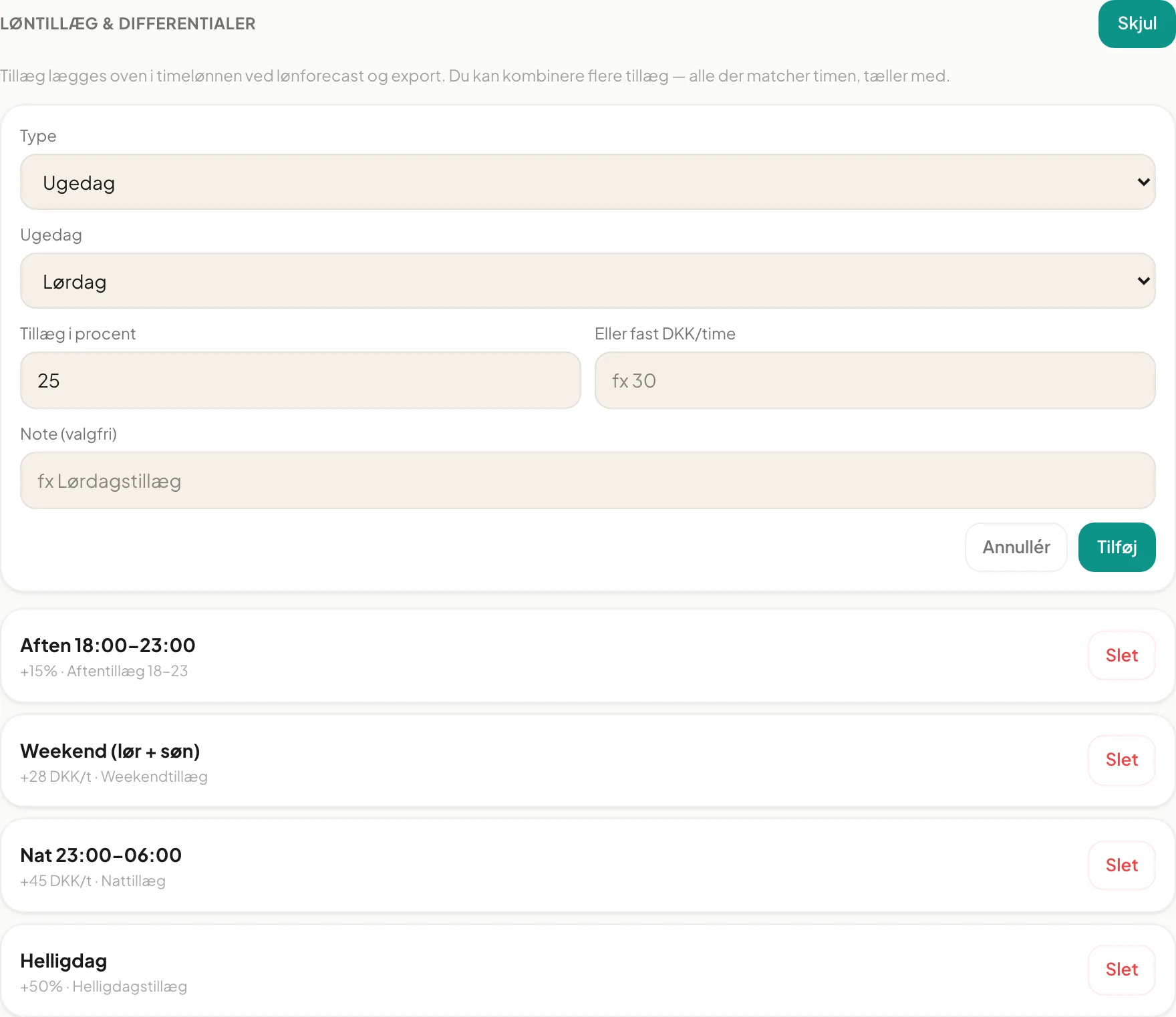
Add a supplement
Section titled “Add a supplement”- Open the employee and click + Tilføj tillæg (Add supplement).
- Choose Type:
- Ugedag (Weekday): pick the day.
- Weekend (lør+søn) (Sat and Sun)
- Aften (fra et tidspunkt) (Evening, from a time): set Fra and Til (local time).
- Nat (tidsvindue) (Night, time window): set Fra and Til.
- Helligdag (Public holiday)
- Overtid (Overtime)
- Fill in either Tillæg i procent (percentage, e.g. 25) or Eller fast DKK/time (fixed amount per hour, e.g. 30).
- Optionally write a Note, e.g. Lørdagstillæg.
- Click Tilføj (Add).
The supplement appears at once in the list with type, amount and note, e.g. Aften 18:00–23:00, +15%, Aftentillæg 18-23.
How supplements are applied
Section titled “How supplements are applied”Supplements are added on top of the hourly rate in the payroll forecast and in the export. You can combine several. All supplements that match a given hour count. Evening and night windows use the location’s local time.
Example from Bistro Nordhavn, where Amina Yusuf earns 185 DKK an hour:
| Supplement | Value |
|---|---|
| Aften 18:00–23:00 (evening) | +15 % |
| Weekend (lør+søn) | +28 DKK/h |
| Nat 23:00–06:00 (night) | +45 DKK/h |
| Helligdag (public holiday) | +50 % |
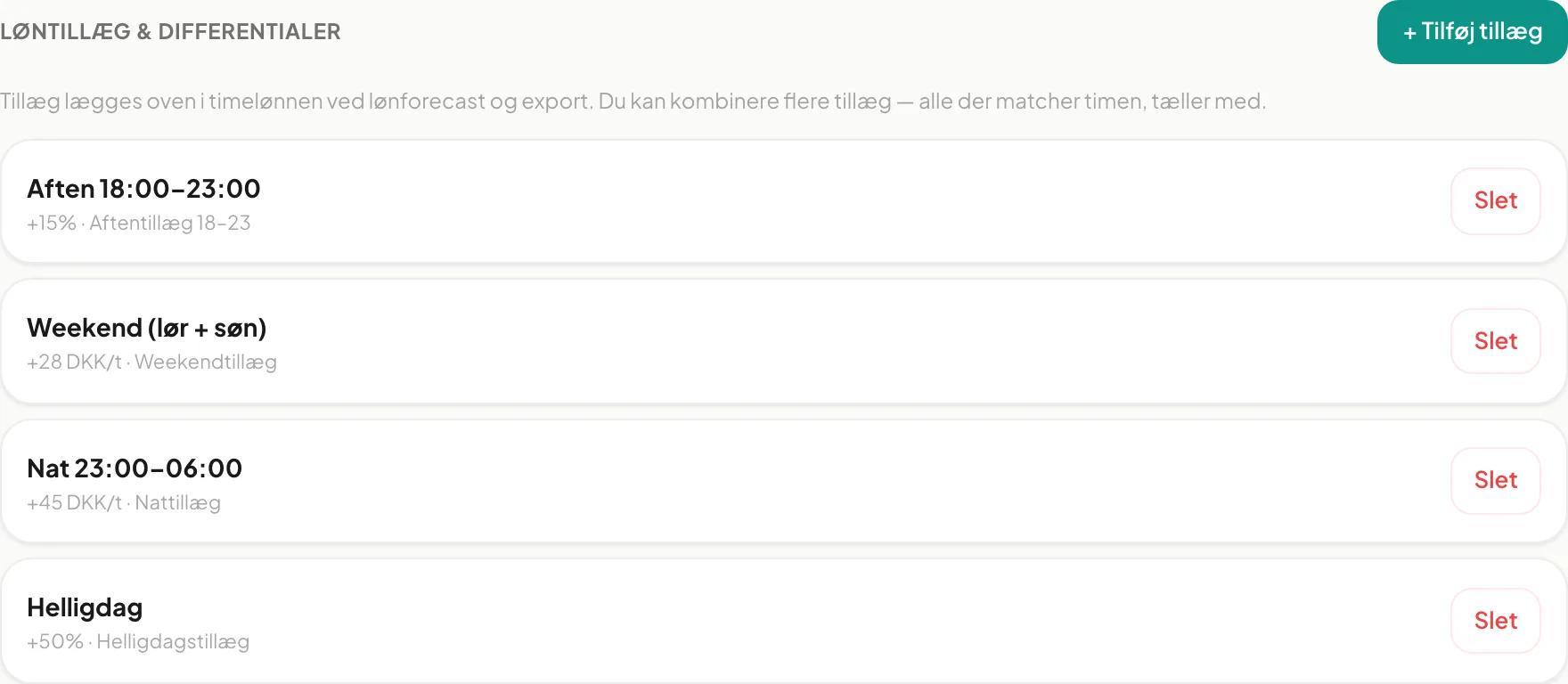
Delete a supplement
Section titled “Delete a supplement”Click Slet next to the supplement and confirm in the dialog Slet løntillæg. The supplement is removed permanently. There is no edit button, so change a supplement by deleting it and creating it again.
Tip: If several employees share the same agreement, the supplements must be created on each one. Use the Overenskomst (kode) field to keep track of who has the same terms.
Important: If you fill in both percentage and fixed amount, both are saved and the list shows both. Fill in only one to avoid doubt.
Do already-published shifts change? Supplements affect the payroll forecast and export. The hourly rate on published shifts is locked at publication.
Can I have several weekend supplements? Yes, the system does not prevent it, but then both are added. Delete the redundant one.