
Standard activities
Standard activities are ready-made templates for the checks most restaurants and cafés need. When you activate one, heyStaff creates the control point, critical limits, corrective action and a monitoring schedule in one go. Managers can activate them.
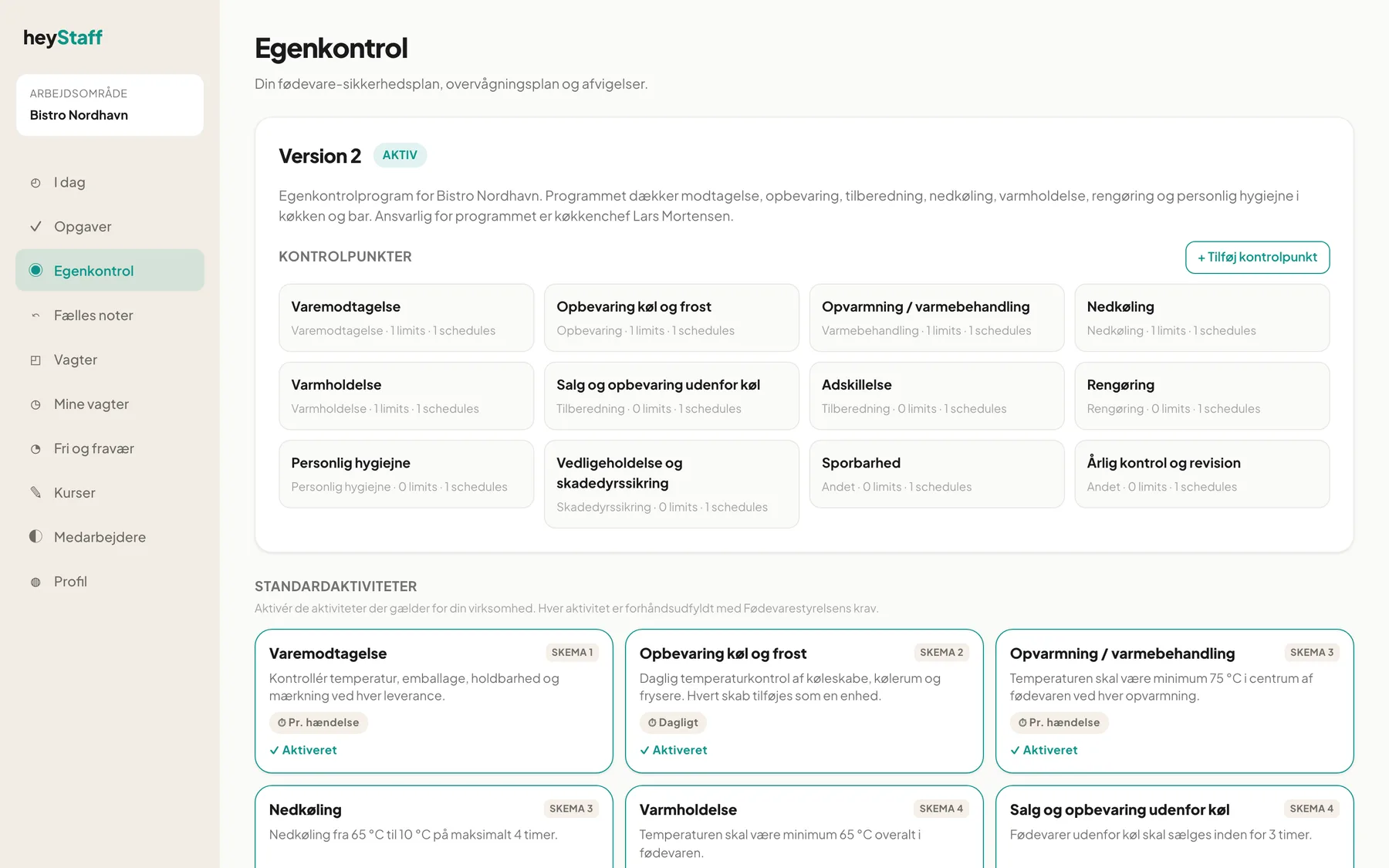
What is on a card?
Section titled “What is on a card?”- Name and description, for example “Hot holding: the temperature must be at least 65 °C throughout the food”.
- SKEMA 1-7: which form in Fødevarestyrelsen’s self-check example the activity corresponds to.
- Obligatorisk (mandatory): applies to Traceability, Recall and Annual review and audit.
- Suggested frequency, for example Daily, Monthly or On demand.
- Activated, or the + Activate button.
Note: In the English interface the section heading and buttons for standard activities are currently still shown in Danish (Standardaktiviteter, Aktivér, Aktiveret, Obligatorisk).
The 14 activities are: Goods receiving, Storage chill and freeze, Heating / heat treatment, Cooling, Hot holding, Sale and storage outside refrigeration, Separation, Delivery of goods, Cleaning, Personal hygiene, Maintenance and pest control, Traceability, Recall and Annual review and audit.
Activate an activity
Section titled “Activate an activity”- Open Self-checks and find the card, for example Delivery of goods (Vareudbringning).
- Click + Activate.
- Read the guidance from Fødevarestyrelsen at the top.
- Choose Location if you have more than one.
- Under the form preview, see what staff will fill in.
- Click Activate.
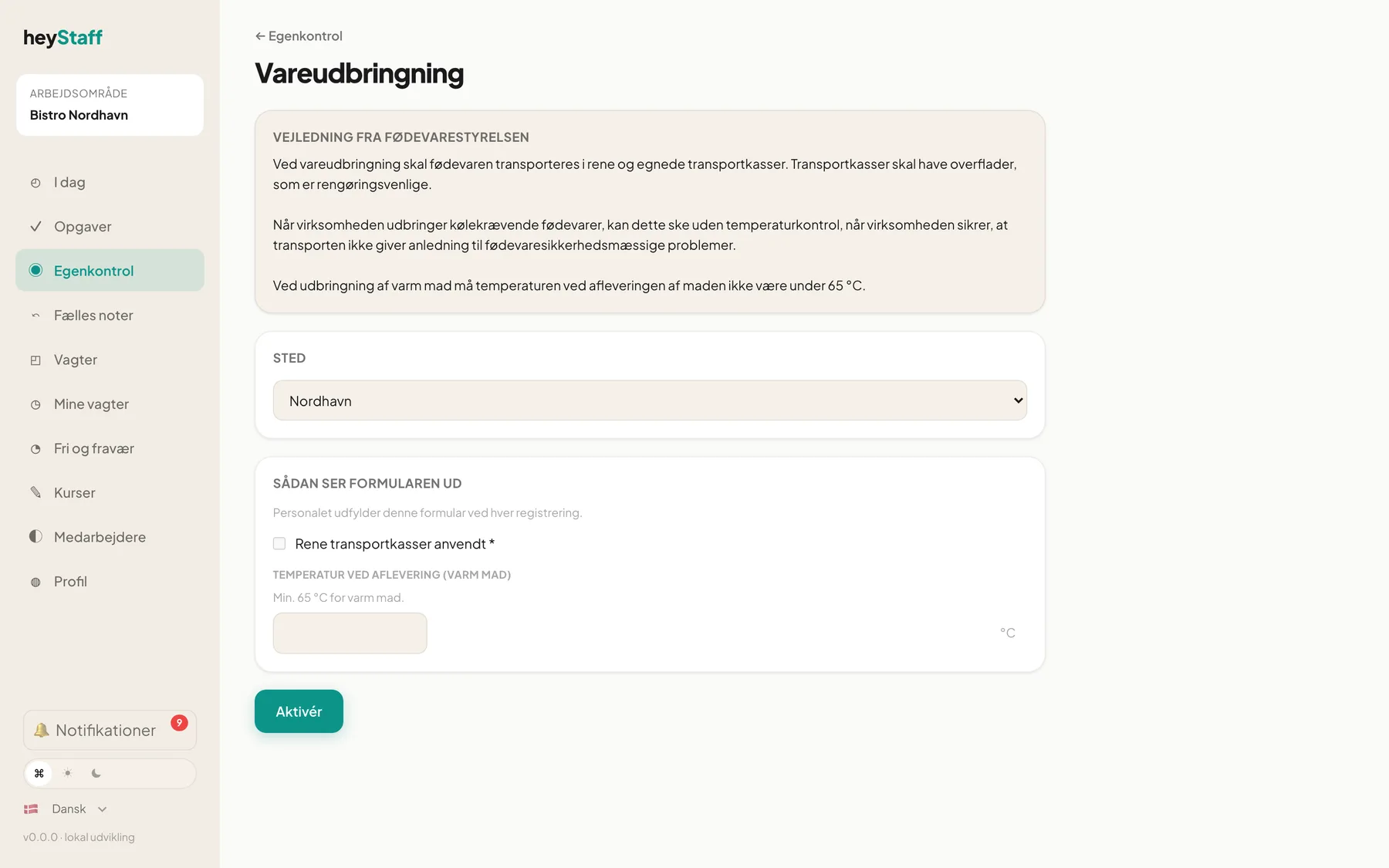
You land on the new control point, and it appears as a task or as a “New measurement” tile for staff.
Activities with units
Section titled “Activities with units”Storage chill and freeze requires you to list every fridge, cold room and freezer as a unit:
- Type a name, for example “Fridge 1 – kitchen”.
- Optionally fill in Min and Max if the unit needs different limits from the default.
- Add more with + Add unit.
You must add at least one unit before you can activate.
Tip: Give the units the names staff use every day. Those names appear in the form and in deviations.
After activation
Section titled “After activation”Everything can be adjusted afterwards: limits, texts and frequency. See Control points, limits and schedules.
Frequently asked questions
Section titled “Frequently asked questions”Can I activate the same activity twice? No. Once activated, it is shown as Activated on the front page. If a new fridge arrives, use Add unit on the control point instead.
Why do some activities have no limits? Cleaning, Separation and similar are tick-box checks without a number. Deviations only arise there when you register them yourself.